YENKO – MOBILE APP
Send, track and pay for deliveries across Ghana, with a courier app built from the same parts.
View prototype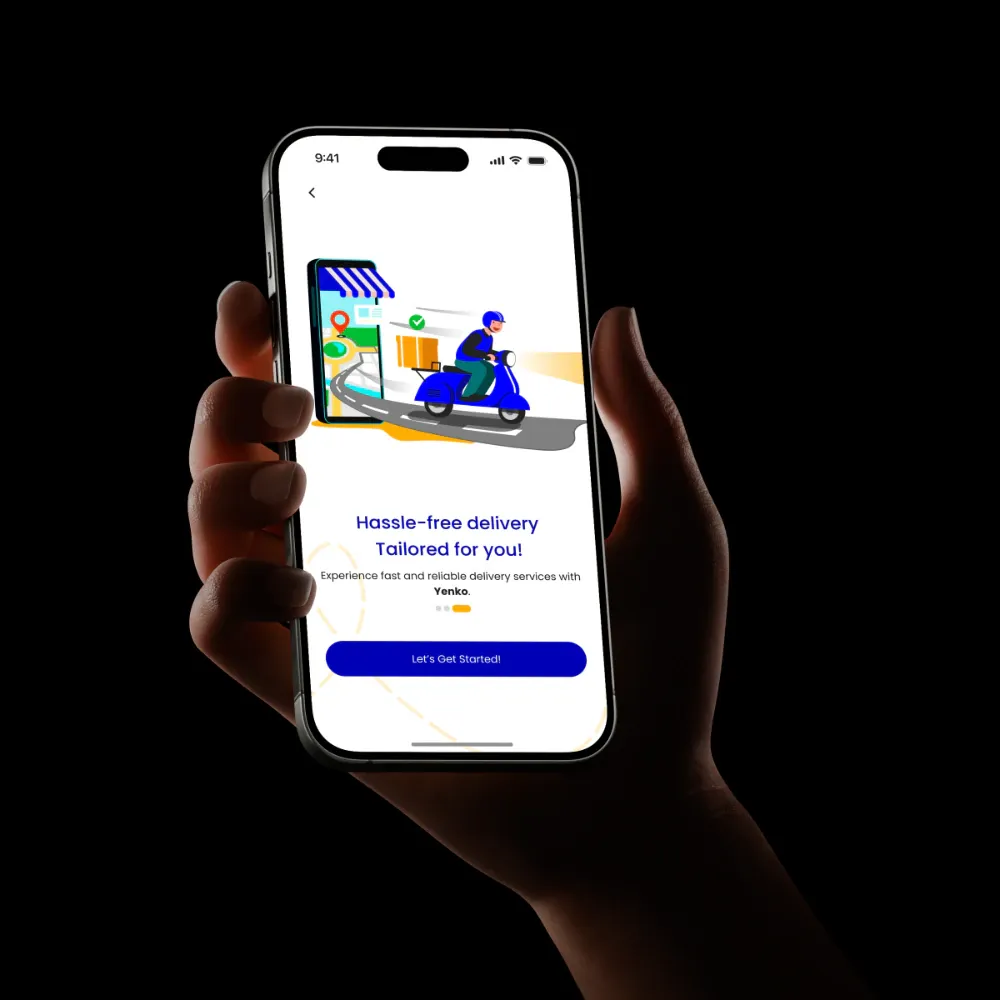
BACKGROUND & CONTEXT
- Booking a delivery in Ghana meant phoning around, guessing the price and losing sight of the package once it left.
- Riders and drivers took jobs informally, with no way to show they were verified or to track what they had earned.
- Payment is mixed: Mobile Money, cash and, increasingly, in-app wallets, often on patchy mobile data.
TARGET USERS
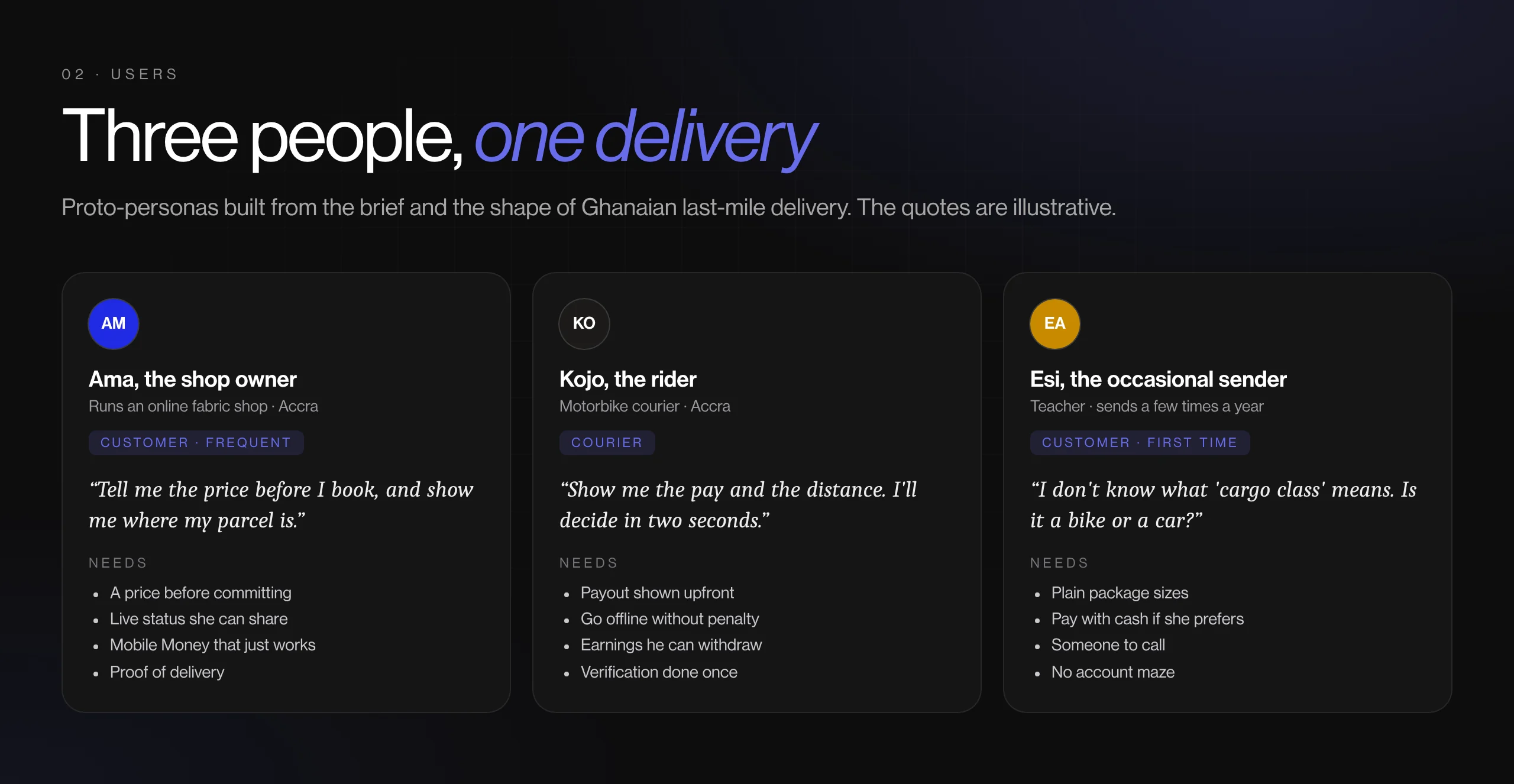
Senders: individuals and small businesses, deciding on price, arrival time and whether they can trust the rider
Couriers: motorbike riders, car and truck drivers, deciding whether a job is worth the distance and the payout
Recipients (indirectly): waiting at the other end, wanting a time and a phone number, not a mystery
THE GOAL
Make booking, paying for and tracking a delivery one visible flow for the sender, and give couriers a way to get verified, take jobs and get paid.
MY PROCESS
- Domain research
- Role mapping (customer vs courier)
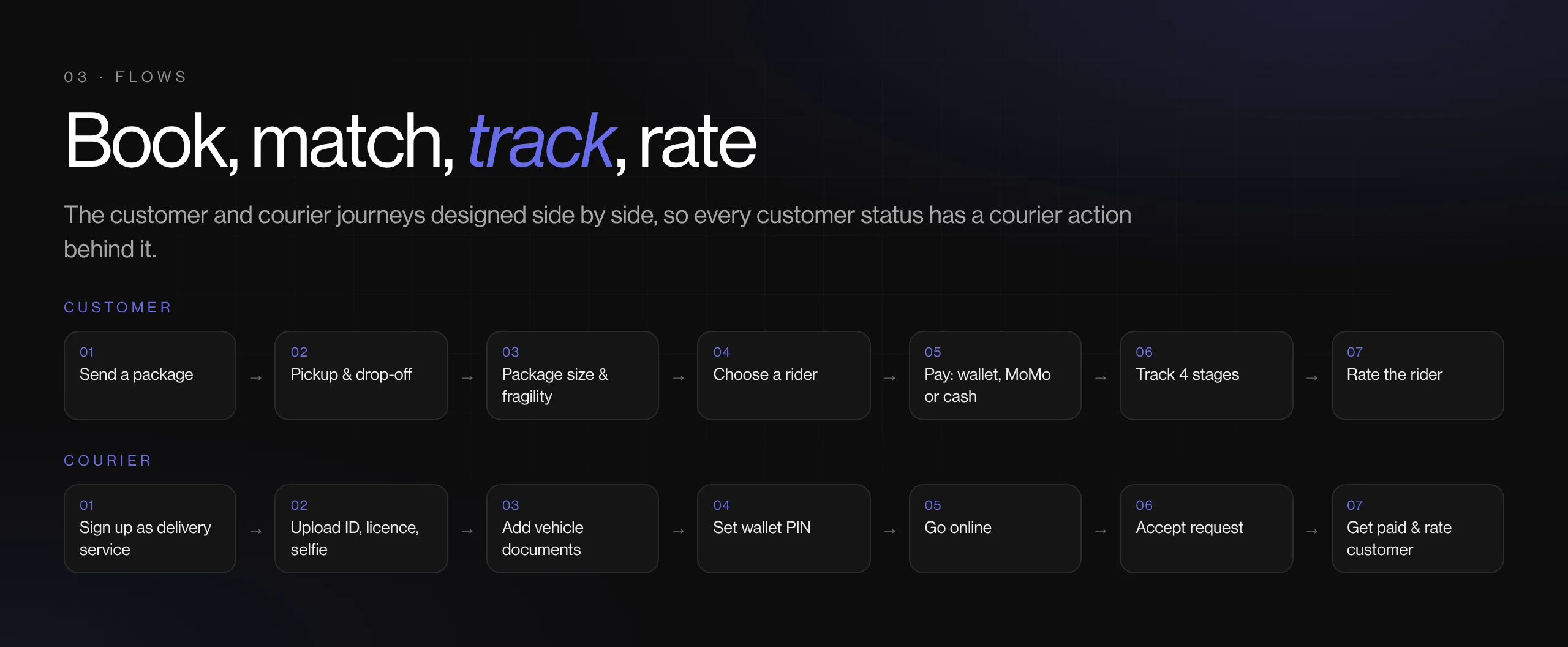
- User flows
- Wireframes
- UI & component library
- Prototype
KEY DECISIONS
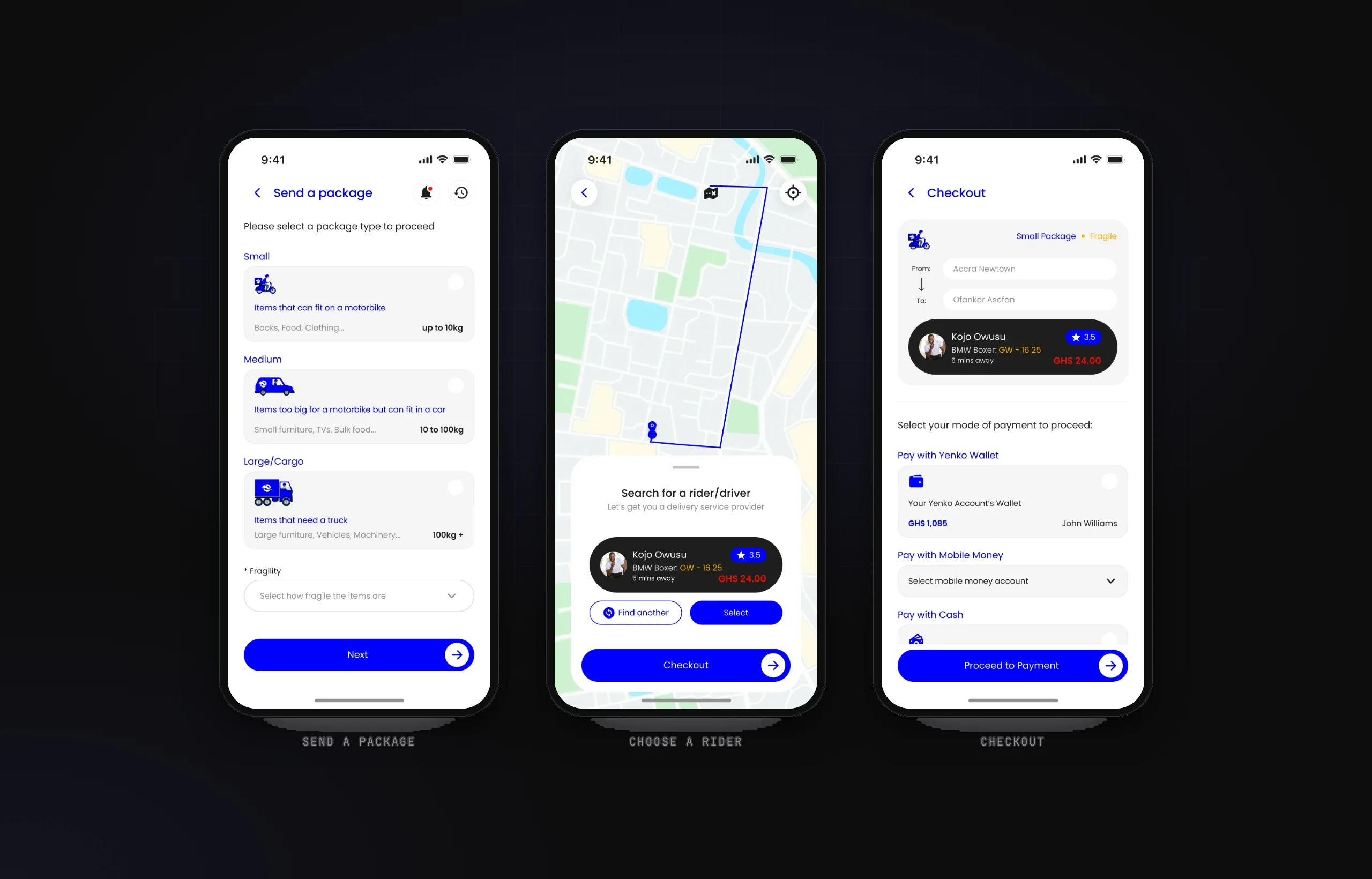
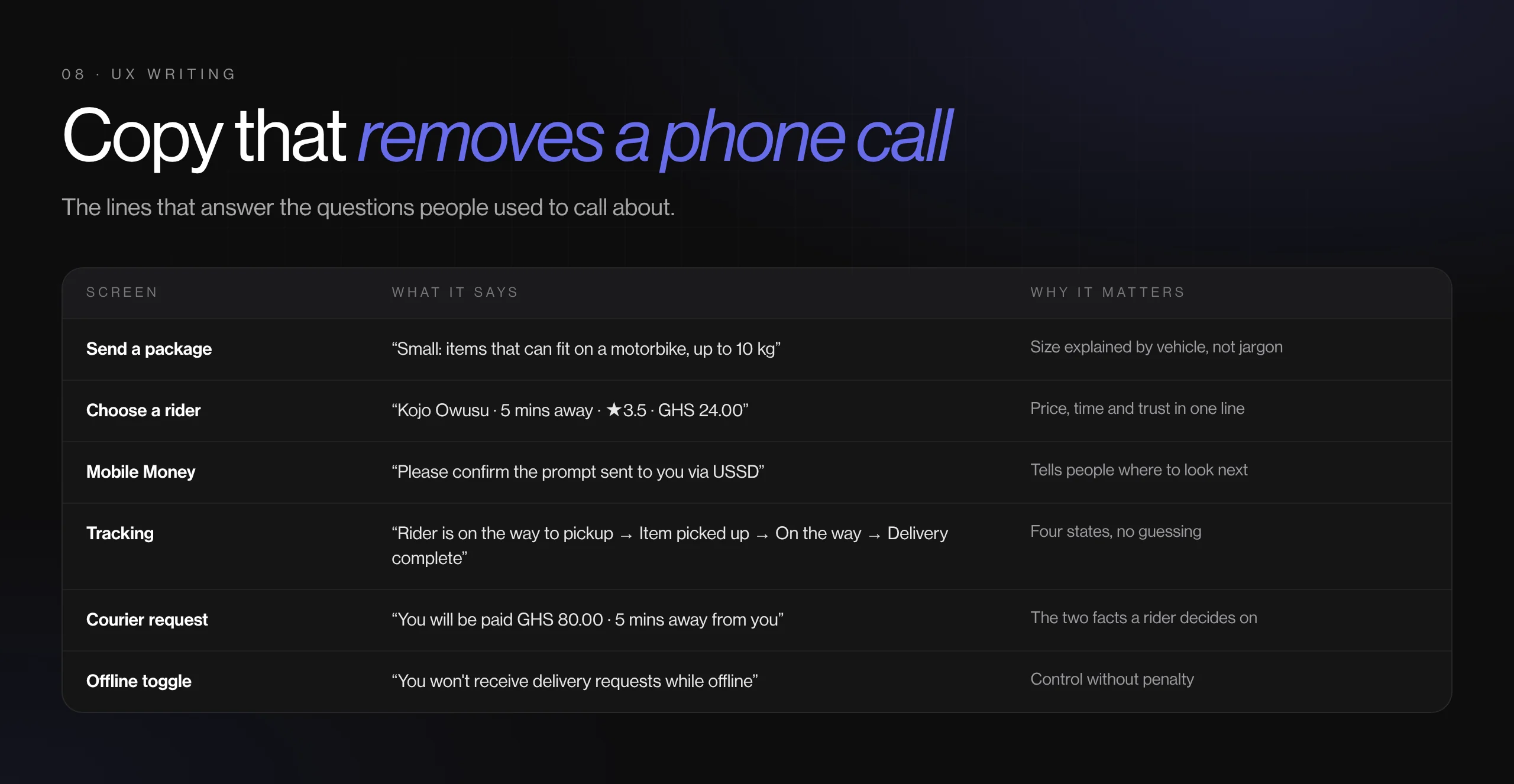
- Package size chosen by what the item is, mapped to a vehicle: motorbike up to 10 kg, car 10–100 kg, truck 100 kg+
- Pick your rider with price, ETA, rating and plate visible, plus a 'Find another' escape hatch
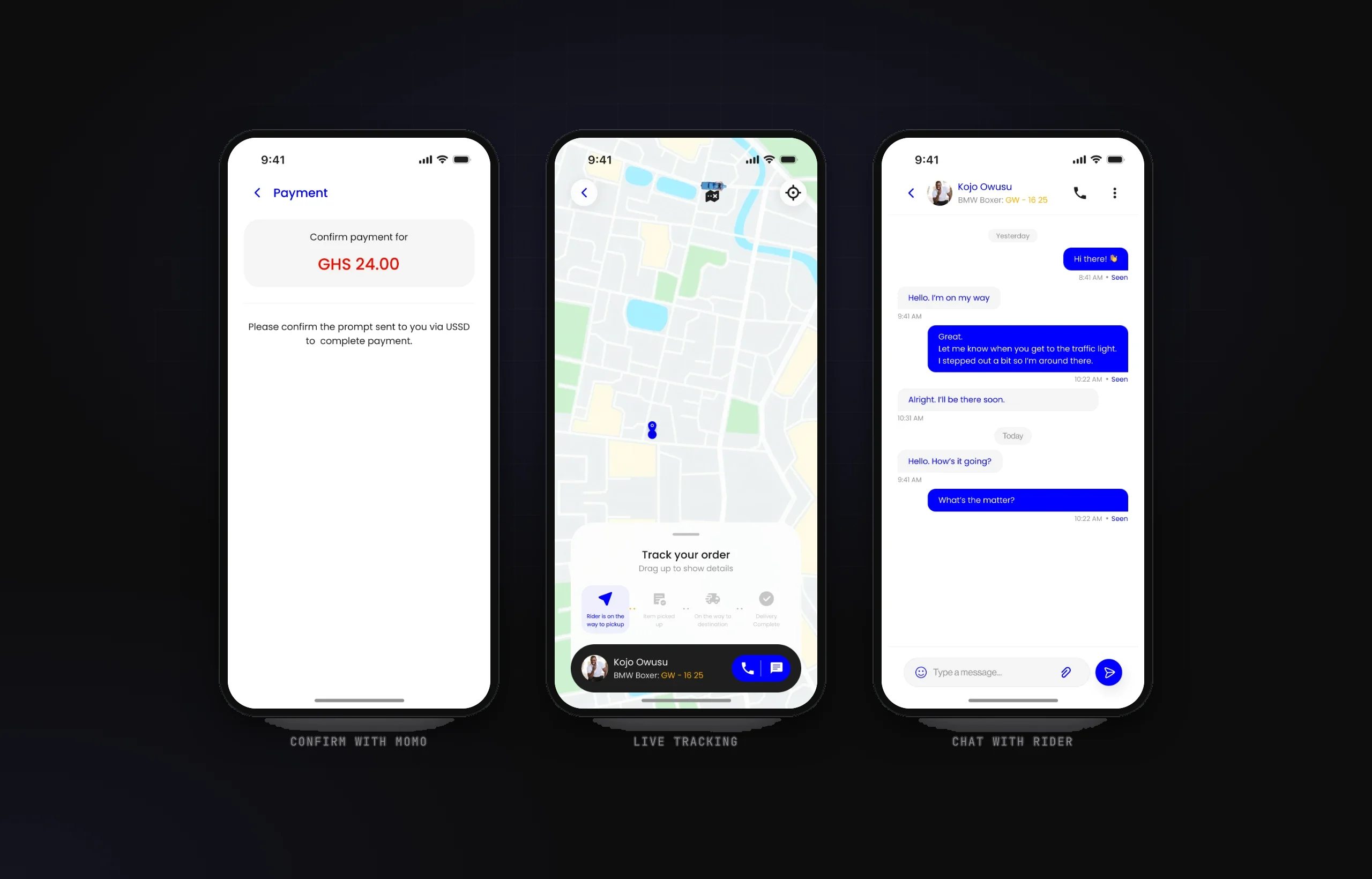
- Three ways to pay that match local habits: Yenko Wallet, Mobile Money confirmed by USSD prompt, or cash
- Tracking lives in a bottom sheet over the map, with a four-step status and call and chat one tap away
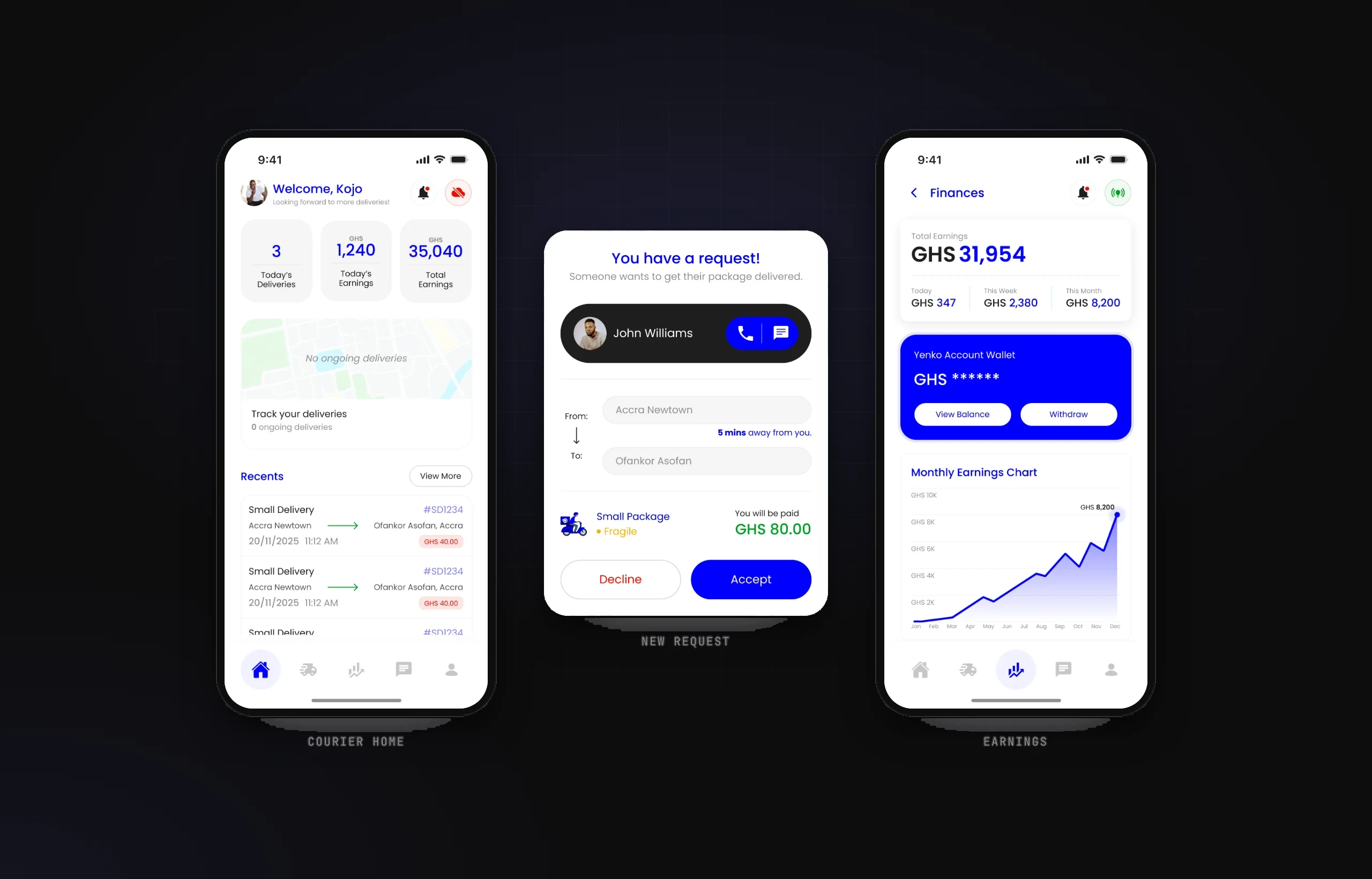
- Courier jobs arrive as one decision: payout and distance first, then Accept or Decline
THE SOLUTION
- Booking: pickup, drop-off, package size and fragility, then a matched rider with a visible price.
- Paying: wallet, Mobile Money (approved on the phone's own USSD prompt) or cash, with clear success and failure states.
- Tracking: a live route with four stages, from 'Rider is on the way to pickup' to 'Delivery complete', plus chat, in-app and offline voice calls.
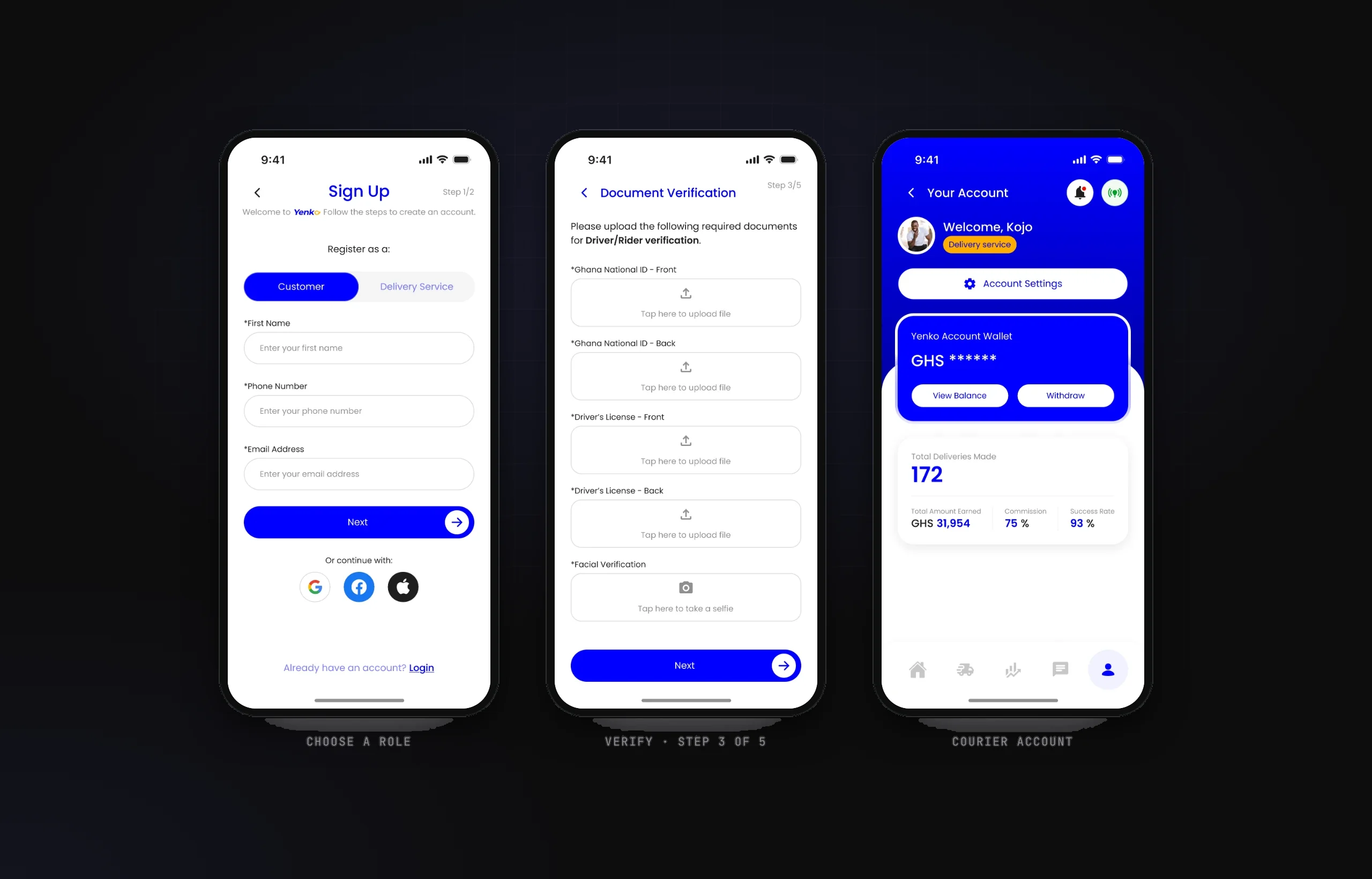
- Courier app: a five-step sign-up (account details, password, ID, licence and selfie, vehicle documents, wallet PIN), an online/offline toggle, job requests and an earnings dashboard.
KEY FEATURES
- Package-to-vehicle booking
- Rider choice with price & ETA
- Wallet, MoMo & cash checkout
- Live tracking with 4 stages
- Courier document checks in 2 steps
- Earnings & Yenko Wallet
DESIGN SYSTEM & ACCESSIBILITY
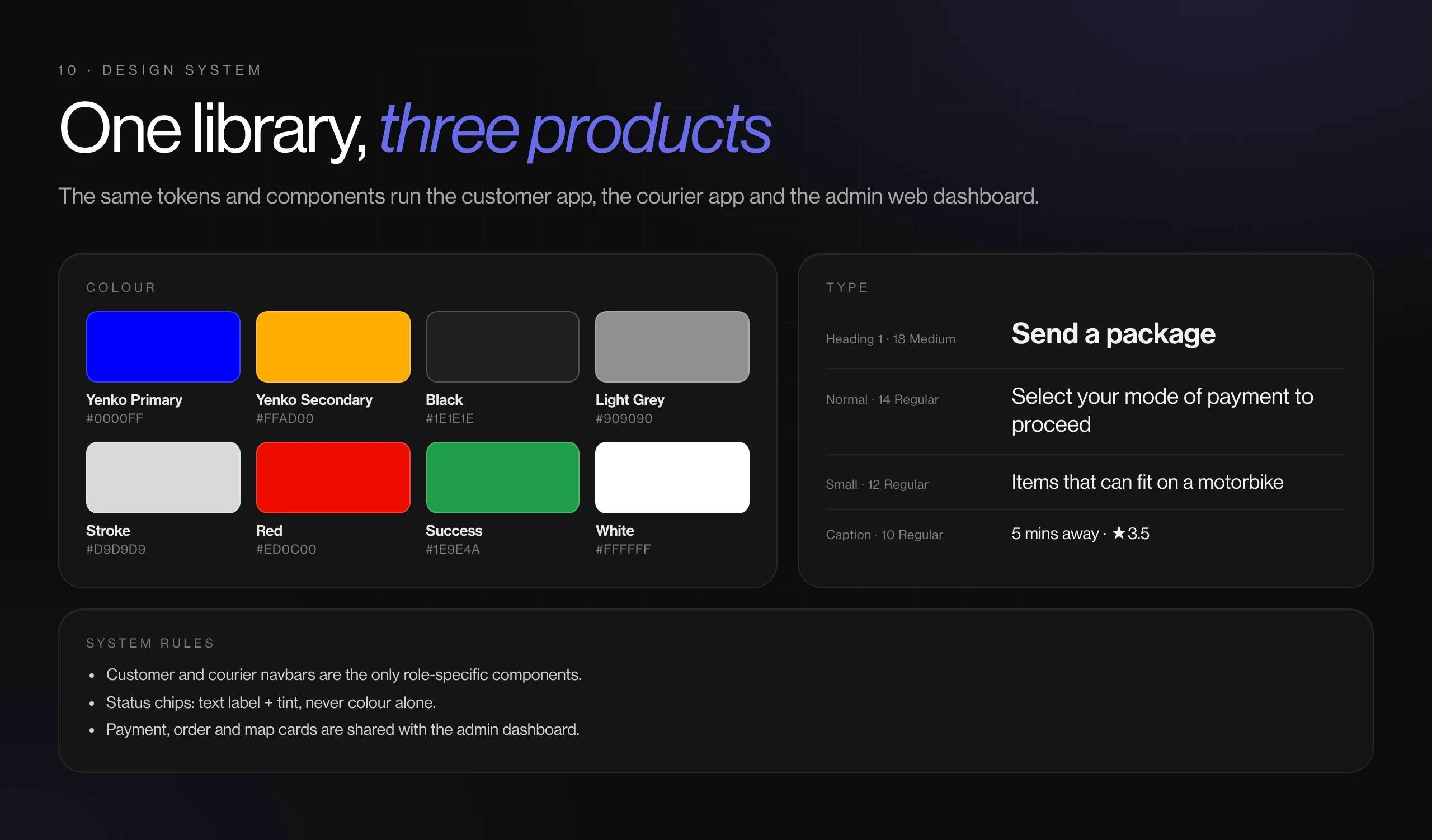
- One component library and type scale (Poppins, 10–18 px) shared by both apps; only the navigation bar changes by role.
- Every status chip carries a written label, so progress never depends on colour alone.
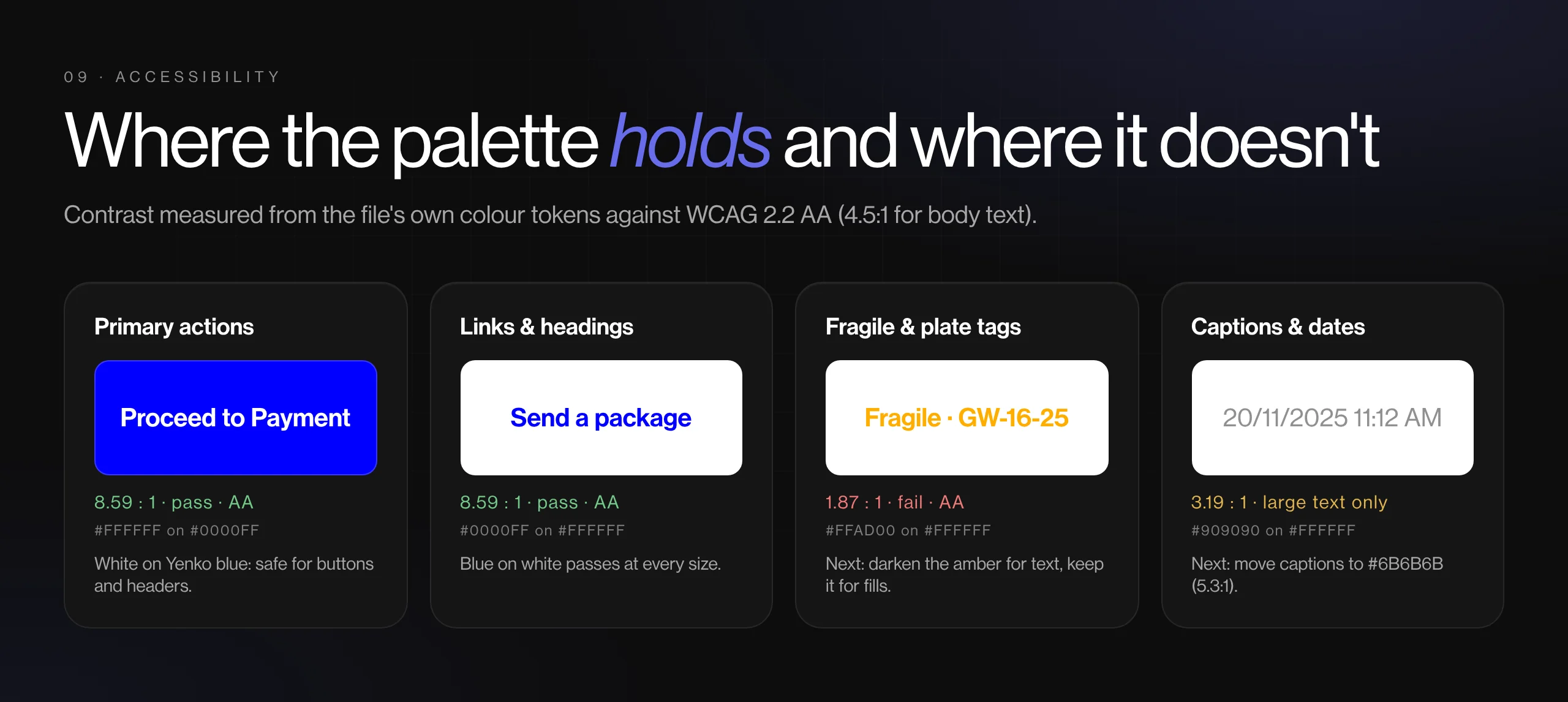
- Known gaps for the next round: the amber accent (#FFAD00) and grey #909090 fall below 4.5:1 on white for small text, and the icon-only tab bar needs labels.
View gallery (10 images)Hide gallery
 (opens full size in a new tab)
 (opens full size in a new tab)
 (opens full size in a new tab)
 (opens full size in a new tab)
 (opens full size in a new tab)
 (opens full size in a new tab)
 (opens full size in a new tab)
 (opens full size in a new tab)
 (opens full size in a new tab)
 (opens full size in a new tab)
BY THE NUMBERS
- Screens from tap to booked
- 3
- Apps, customer and courier, from one set of parts
- 2
- Ways to pay, Mobile Money included
- 3
OUTCOME
- A prototype-ready, two-sided product that covers a delivery end to end: sign-up, booking, paying, tracking, rating and payout.
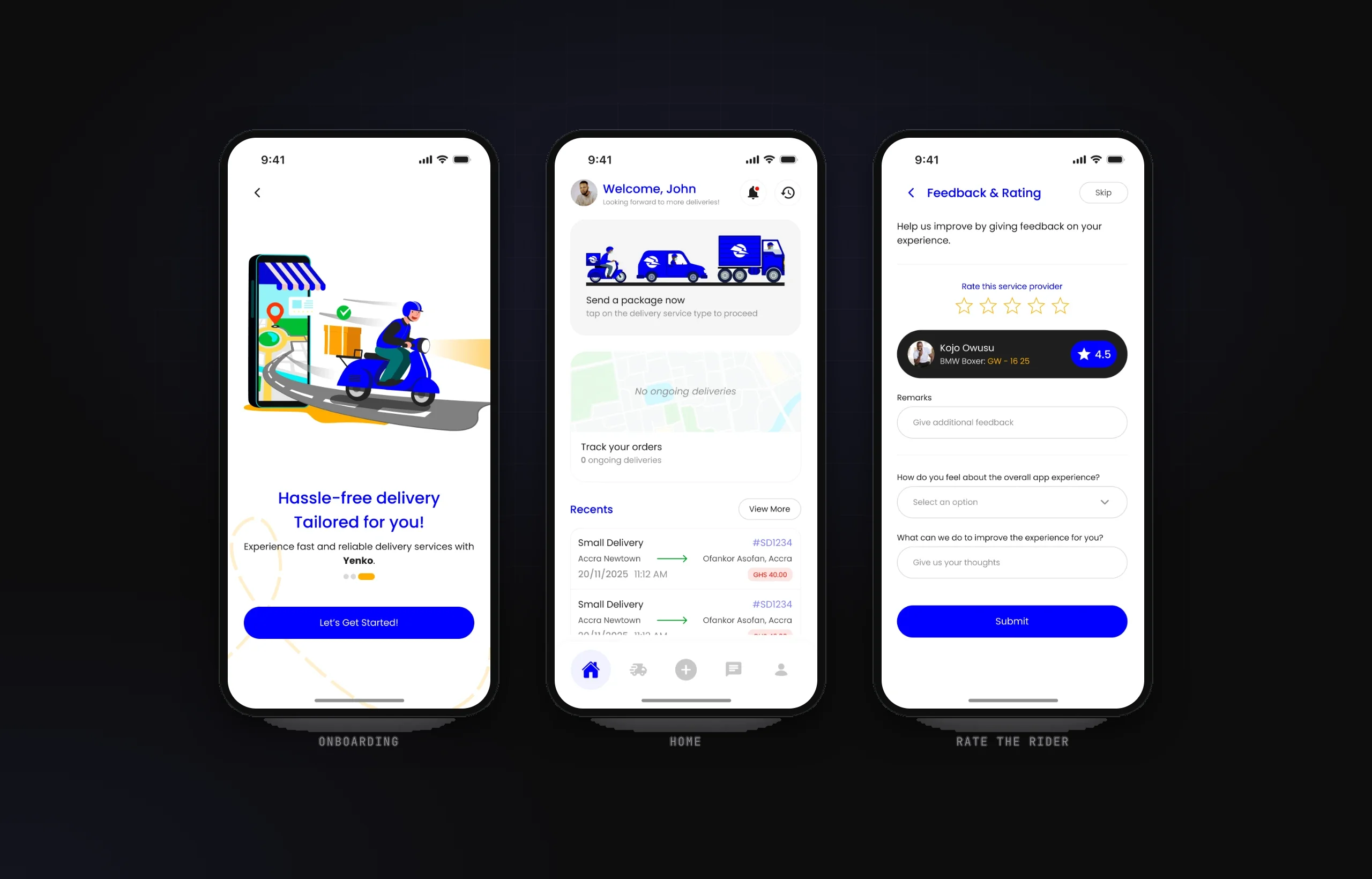
- Two-way ratings: senders rate the courier and couriers rate the customer.
- The same parts also power the Yenko admin dashboard, so operations sees the same statuses the customer sees.
What I learned
Designing the courier side first exposed edge cases the customer flow was hiding, like what happens when a rider goes offline mid-job.