CHAT APP – ACCESSIBLE MESSAGING
Lab project
A messaging app designed against WCAG from the first screen, with text size and contrast controls built in.
View prototype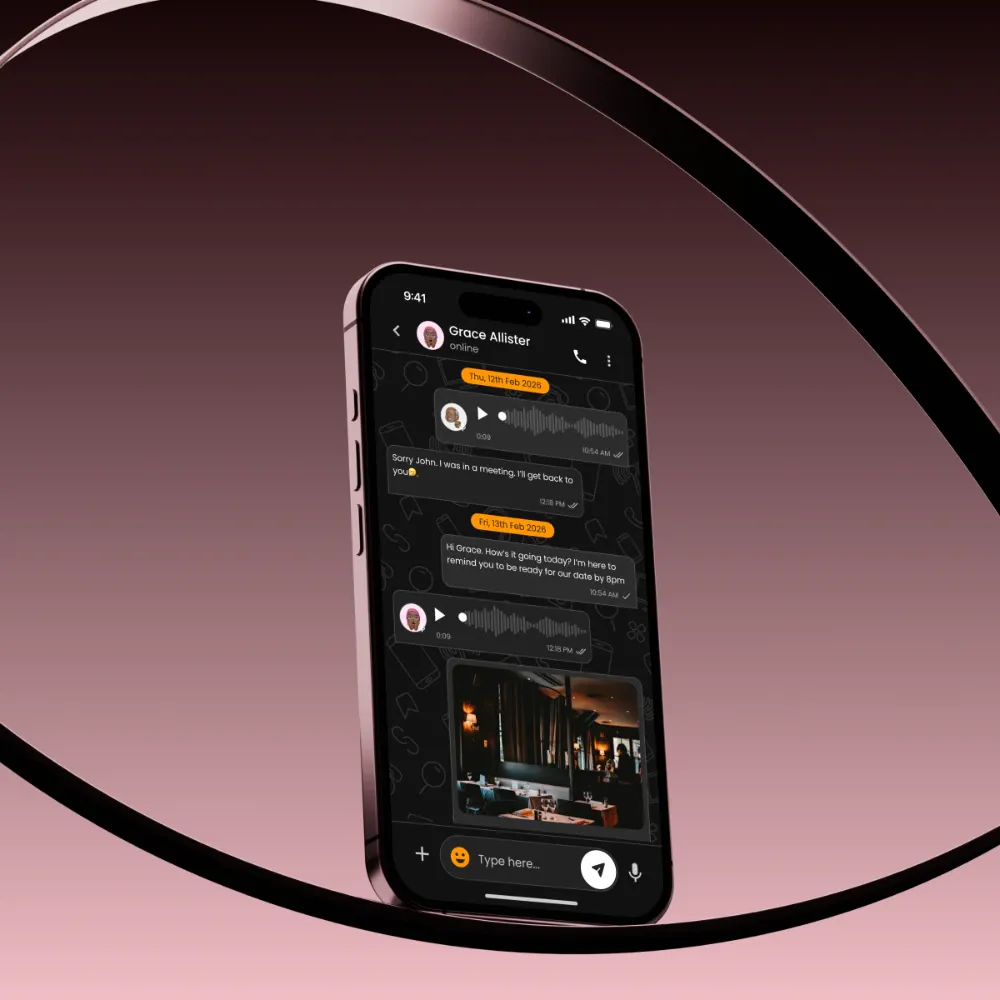
BACKGROUND & CONTEXT
- Mainstream chat apps hide accessibility in a settings menu, so people with visual, motor or cognitive impairments work around the interface.
- The brief: a chat app for text and voice messages, images and calls that follows WCAG, rather than adding an 'accessible mode' later.
- The lab started with documentation: target groups, the challenges each one faces, and rules for colour, type, touch targets and layout.
TARGET USERS
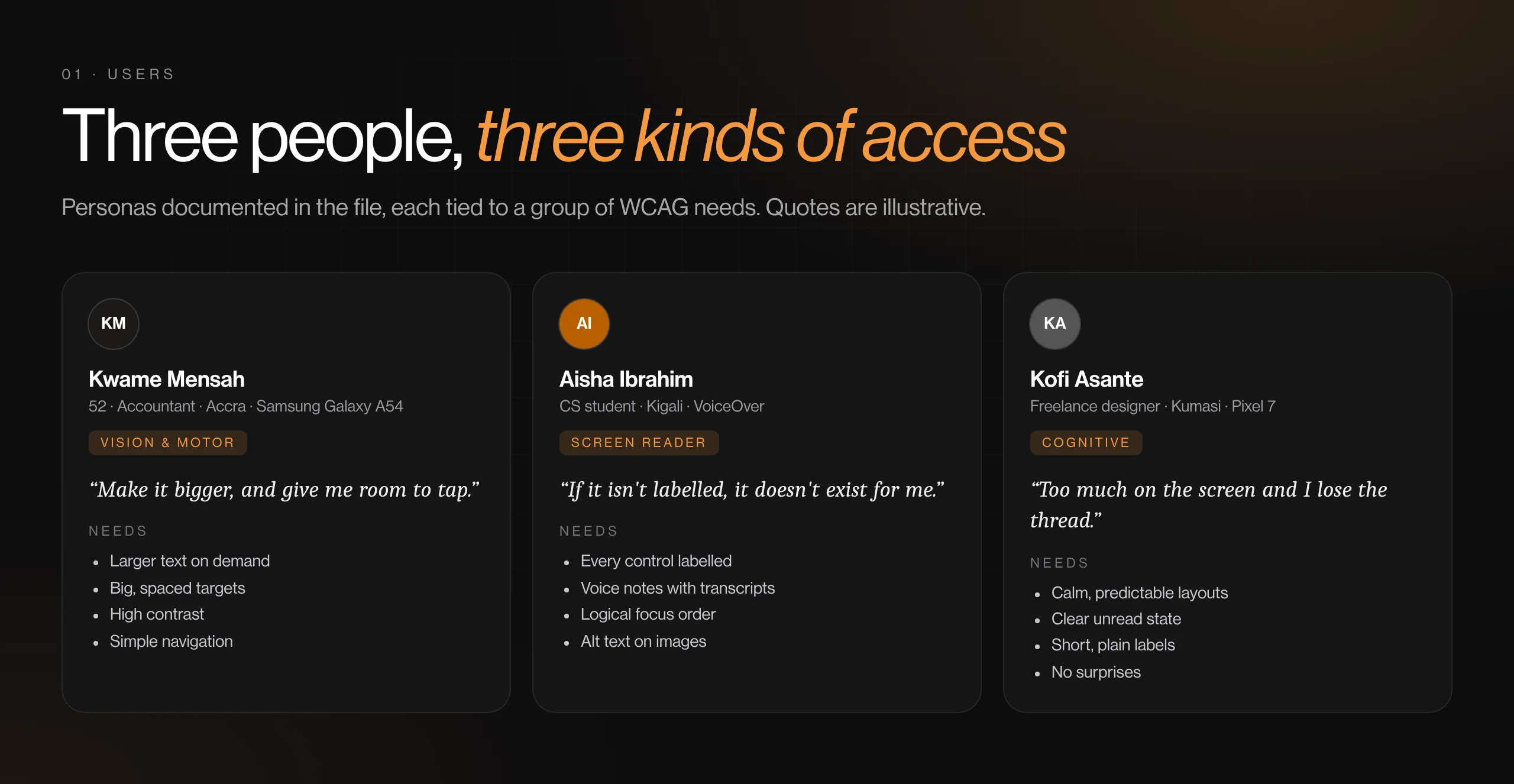
Kwame (52, accountant, Accra): presbyopia and arthritis; deciding by how big and how easy to tap
Aisha (computer science student, Kigali): blind, uses VoiceOver; deciding by what the screen reader announces
Kofi (freelance designer, Kumasi): ADHD and mild dyslexia; deciding by how calm and predictable the screen is
THE GOAL
Make messaging and calling usable without workarounds, by designing to WCAG 2.1 AA as the default state.
MY PROCESS
- WCAG review
- Personas & mind maps
- Accessibility documentation
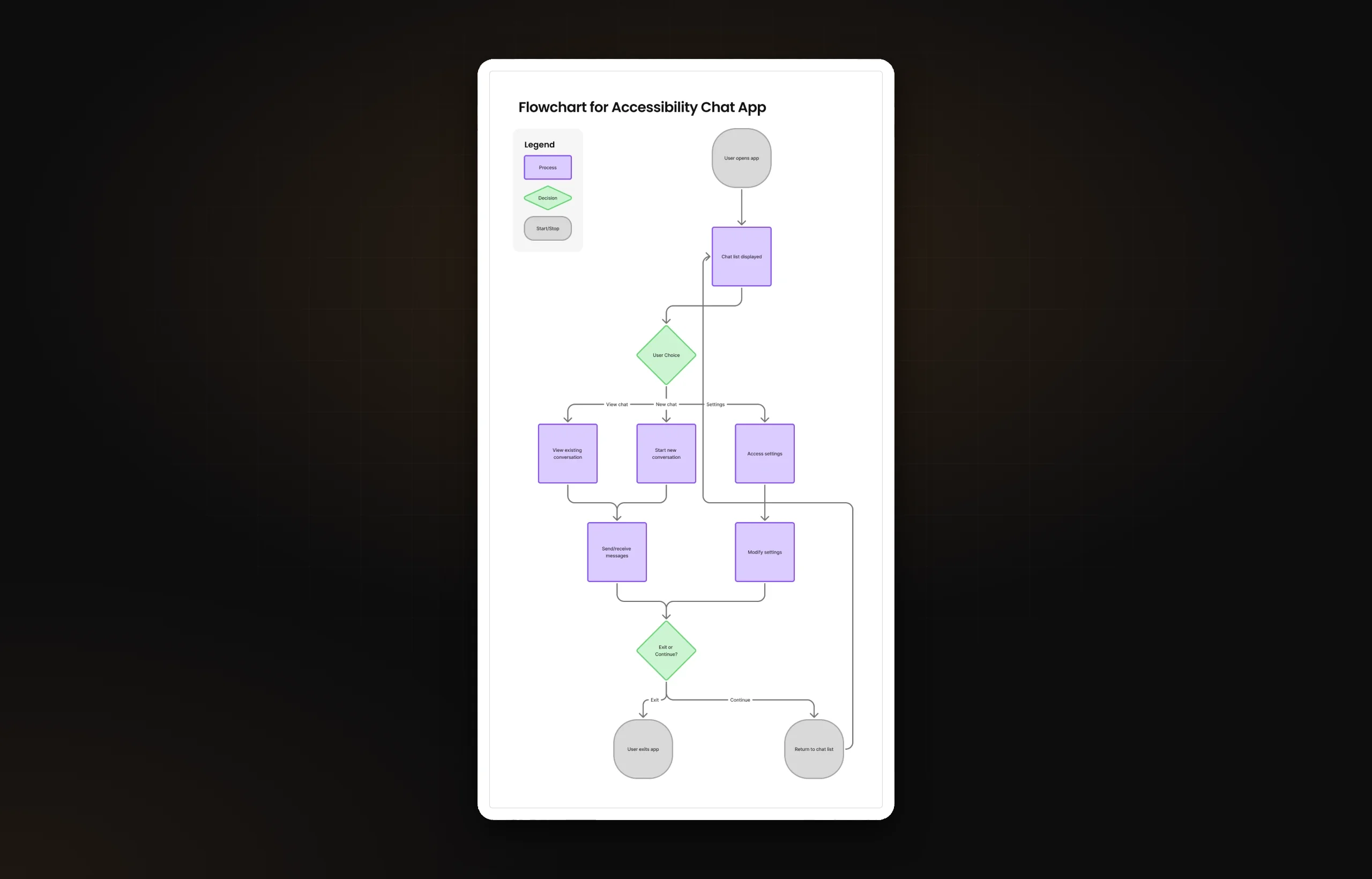
- User flow
- Accessible UI (light & dark)
- Prototype
KEY DECISIONS
- Labels under every tab icon, and the back button always top-left
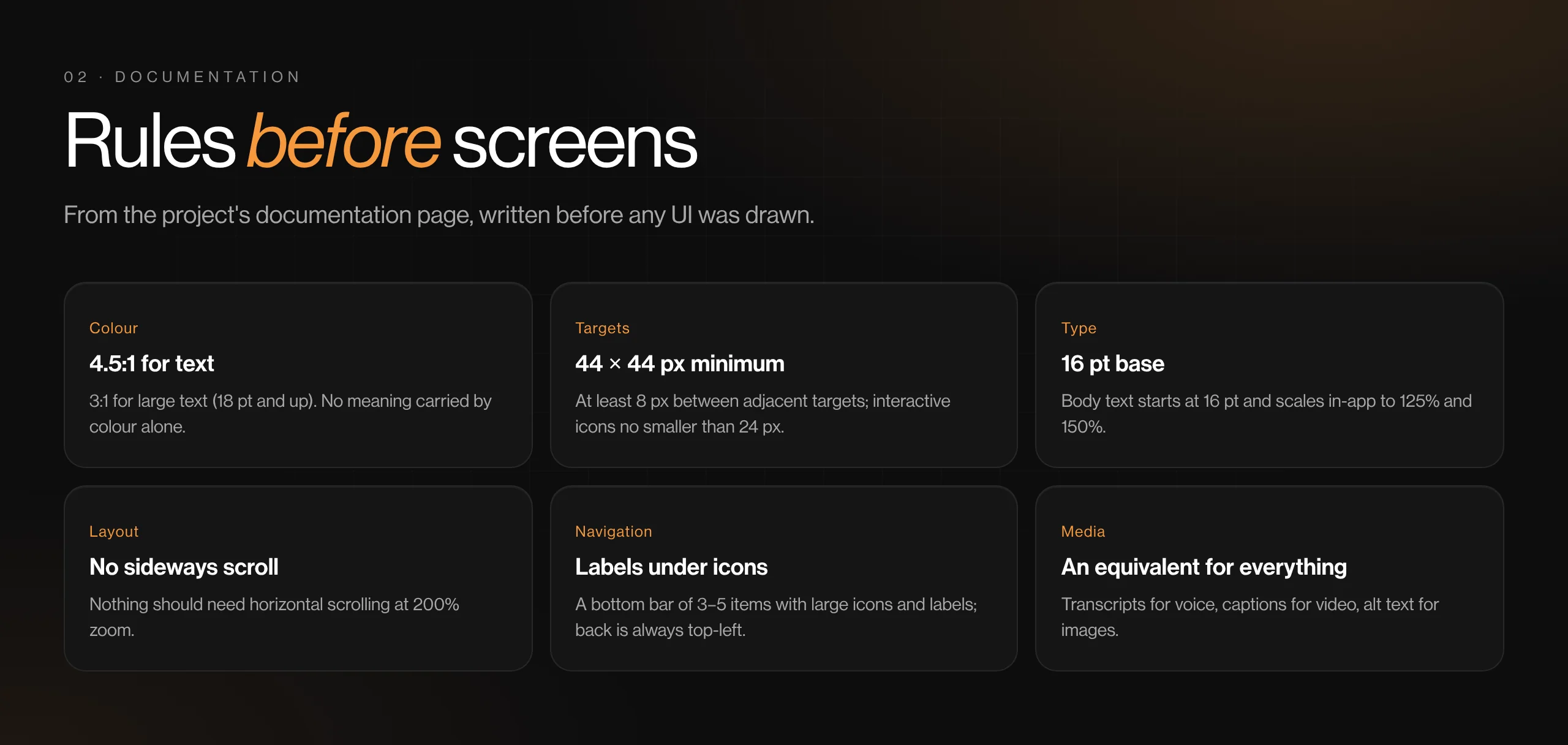
- Touch targets of at least 44 × 44 px, with 8 px between them, and 80 px chat rows
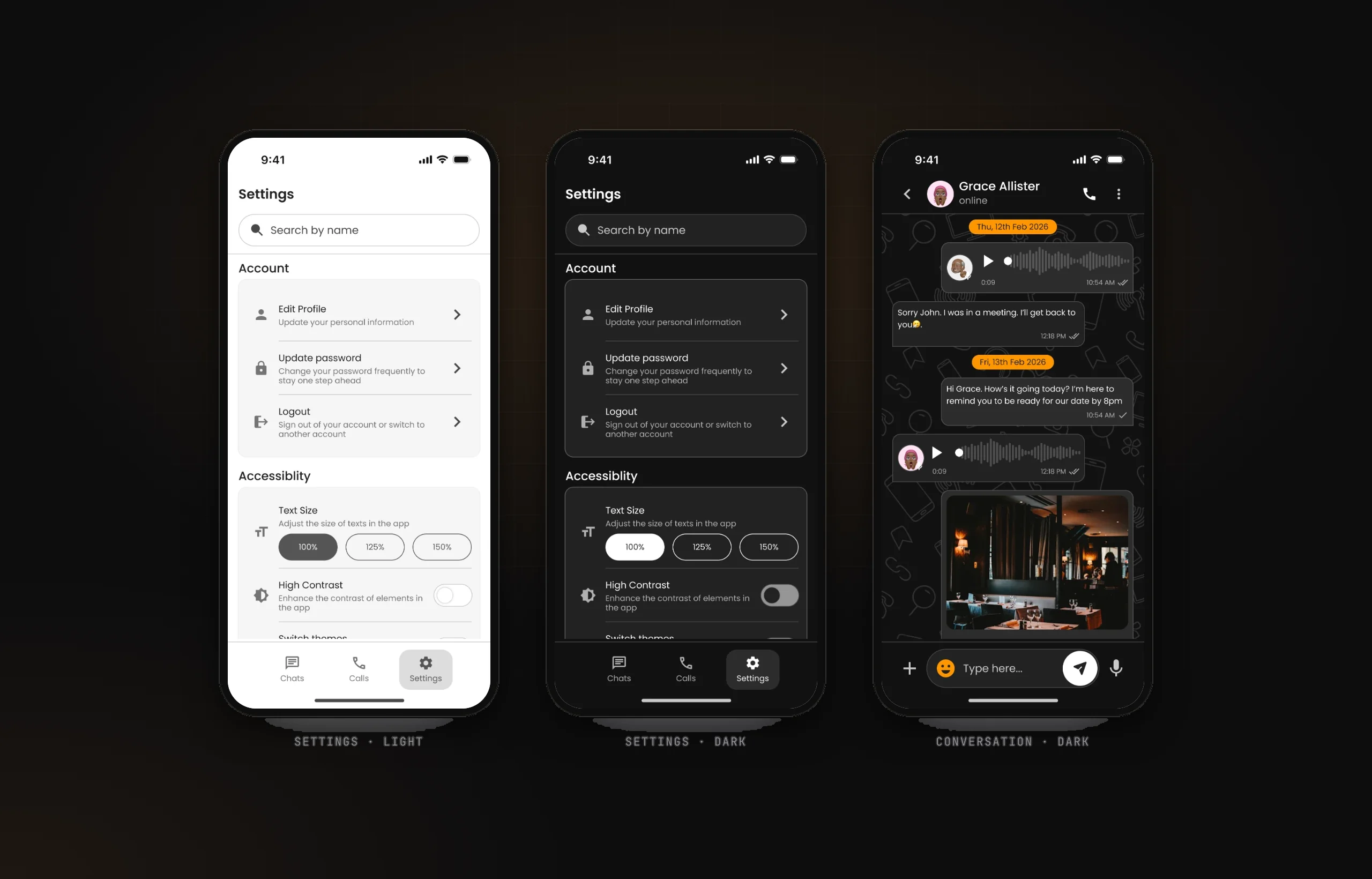
- Text size (100%, 125%, 150%) and High Contrast as settings in the app, not only in the phone's OS
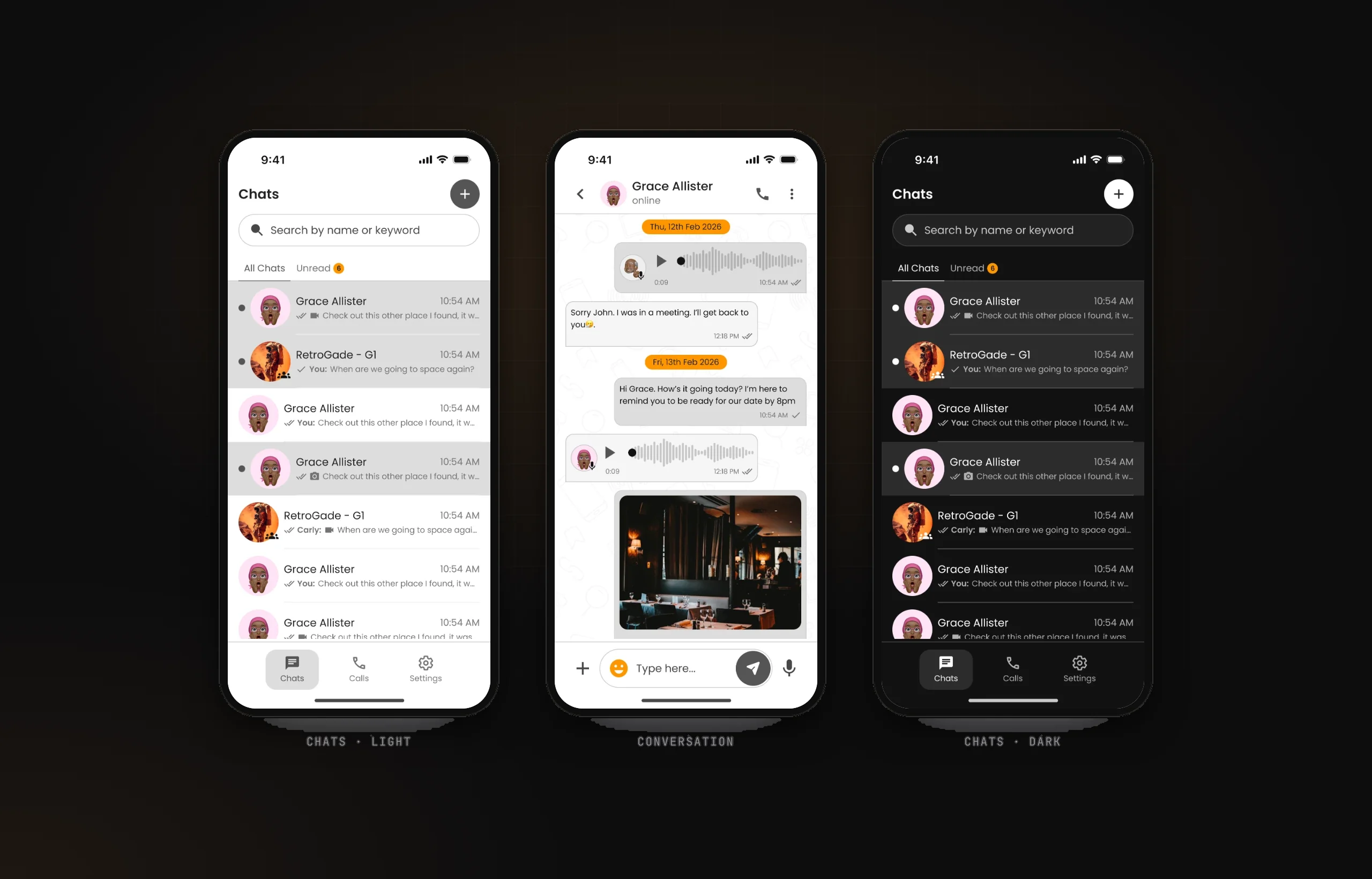
- Dark mode designed in full, not inverted: every screen has a matching dark version
- An 'Unread' tab with a count, so unread messages aren't only a tint
THE SOLUTION
- Chats: search by name or keyword, All and Unread tabs, large rows with read ticks and message-type icons.
- Conversation: text, voice notes with waveform and duration, images, and date dividers.
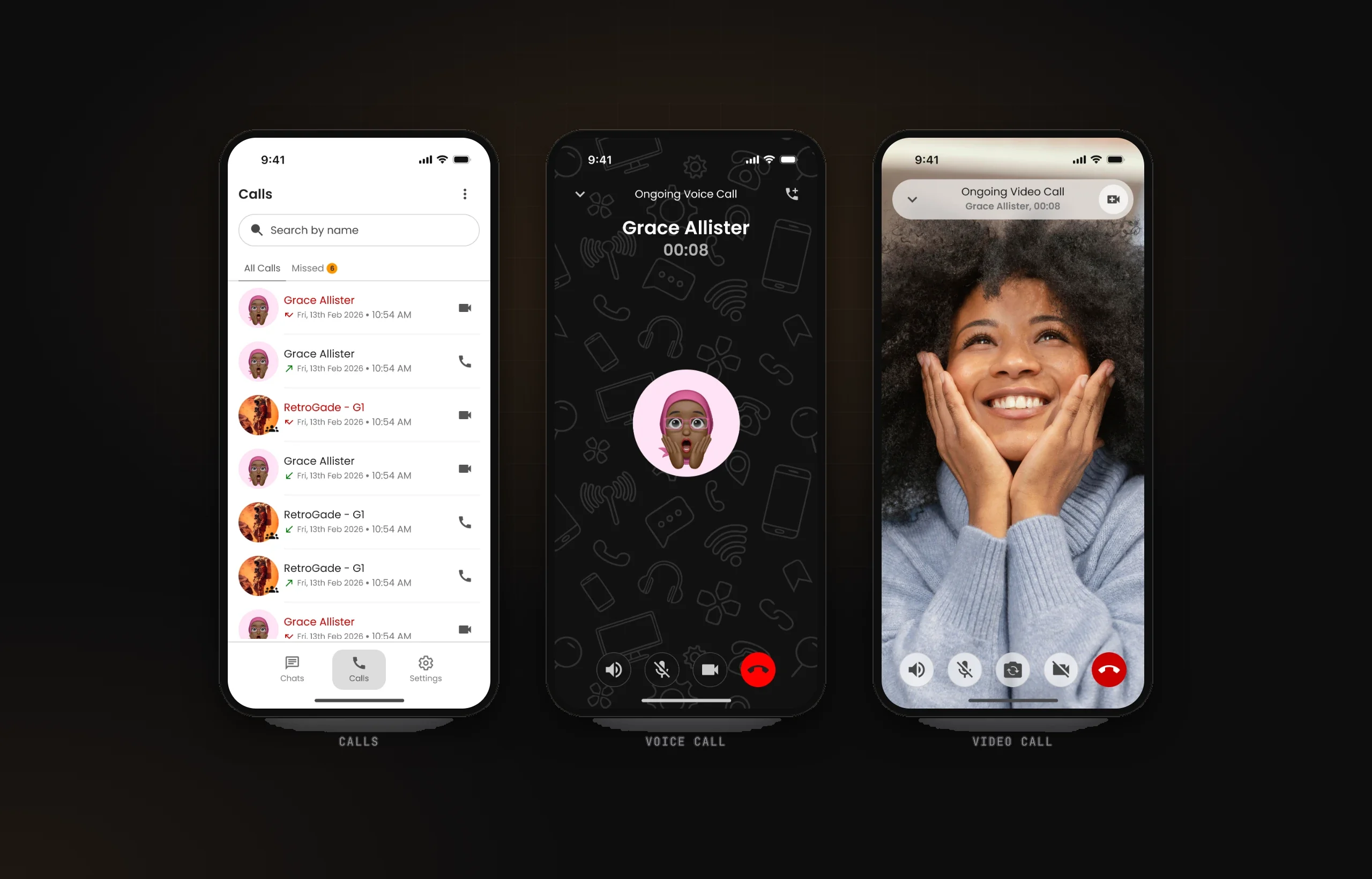
- Calls: voice and video calls with large, labelled controls.
- Settings: account options plus an Accessibility section with text size, high contrast and theme switching.
KEY FEATURES
- Labelled navigation
- 44 px touch targets
- In-app text size control
- High contrast toggle
- Light & dark themes
- Voice & video calls
DESIGN SYSTEM & ACCESSIBILITY
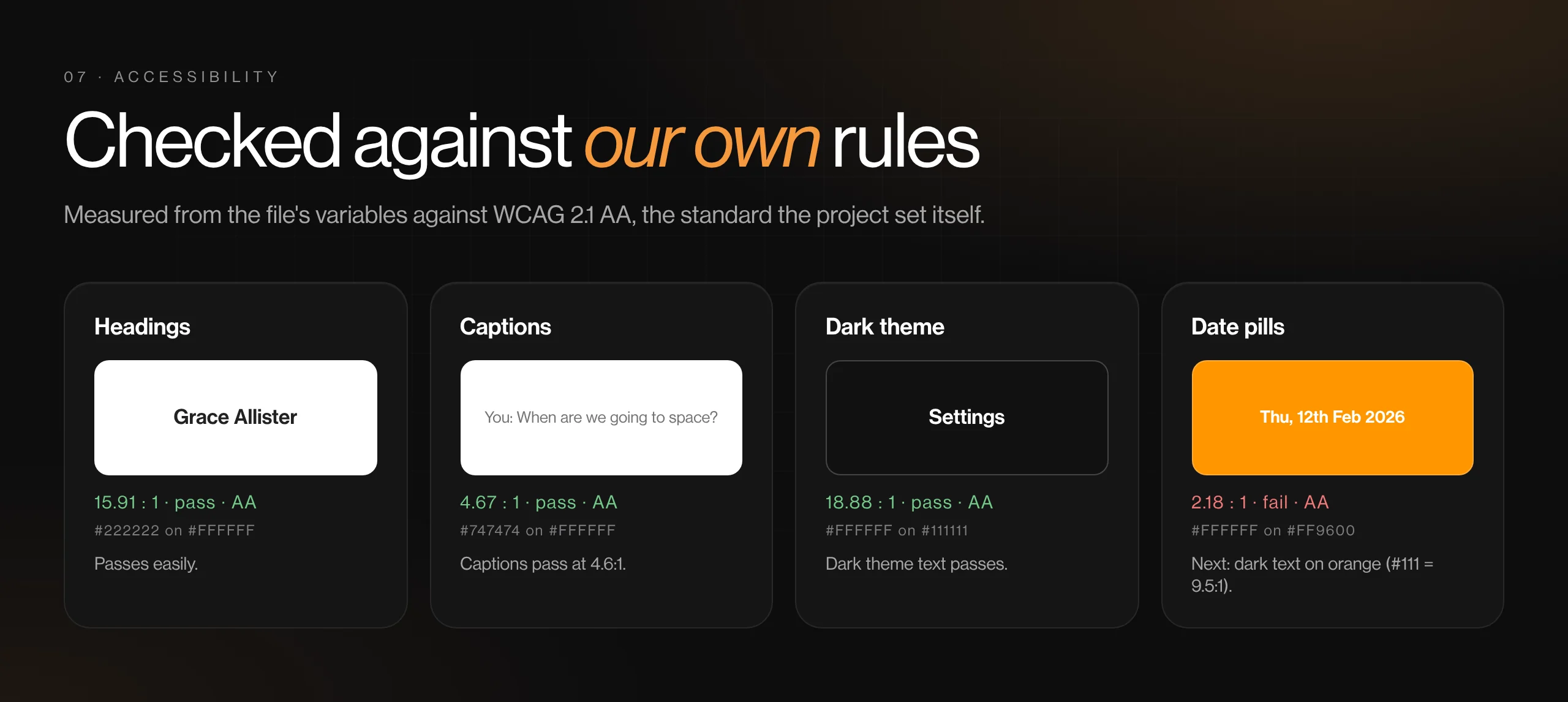
- Rules written before screens: 4.5:1 for body text, 3:1 for large text, 44 × 44 px targets, 16 pt base text, no horizontal scrolling at 200% zoom.
- An atomic library (atoms, molecules, organisms) in Poppins, with spacing from 2 to 24 and full-round radii for pills.
- Next round: white on the orange date pills is 2.2:1 and breaks the file's own rule; voice notes need transcripts and calls need captions, as the documentation asks.
View gallery (7 images)Hide gallery
 (opens full size in a new tab)
 (opens full size in a new tab)
 (opens full size in a new tab)
 (opens full size in a new tab)
 (opens full size in a new tab)
 (opens full size in a new tab)
 (opens full size in a new tab)
BY THE NUMBERS
- Access needs designed for: vision, motor, cognitive
- 3
- Text sizes, set inside the app
- 3
- Themes, both designed in full
- 2
OUTCOME
- A short project that shows accessibility working as a baseline rather than a retrofit.
- A written accessibility spec that the screens can be checked against, line by line.
- An honest gap list for the next round: transcripts, captions, alt text and the date-pill contrast.
What I learned
Writing the accessibility rules before drawing anything made every later decision faster, and made the one place I broke a rule easy to spot.