PANTRYPAL – RECIPE SHARING APP
Lab project
A household recipe book that turns any recipe into a shopping list you can share.
View prototype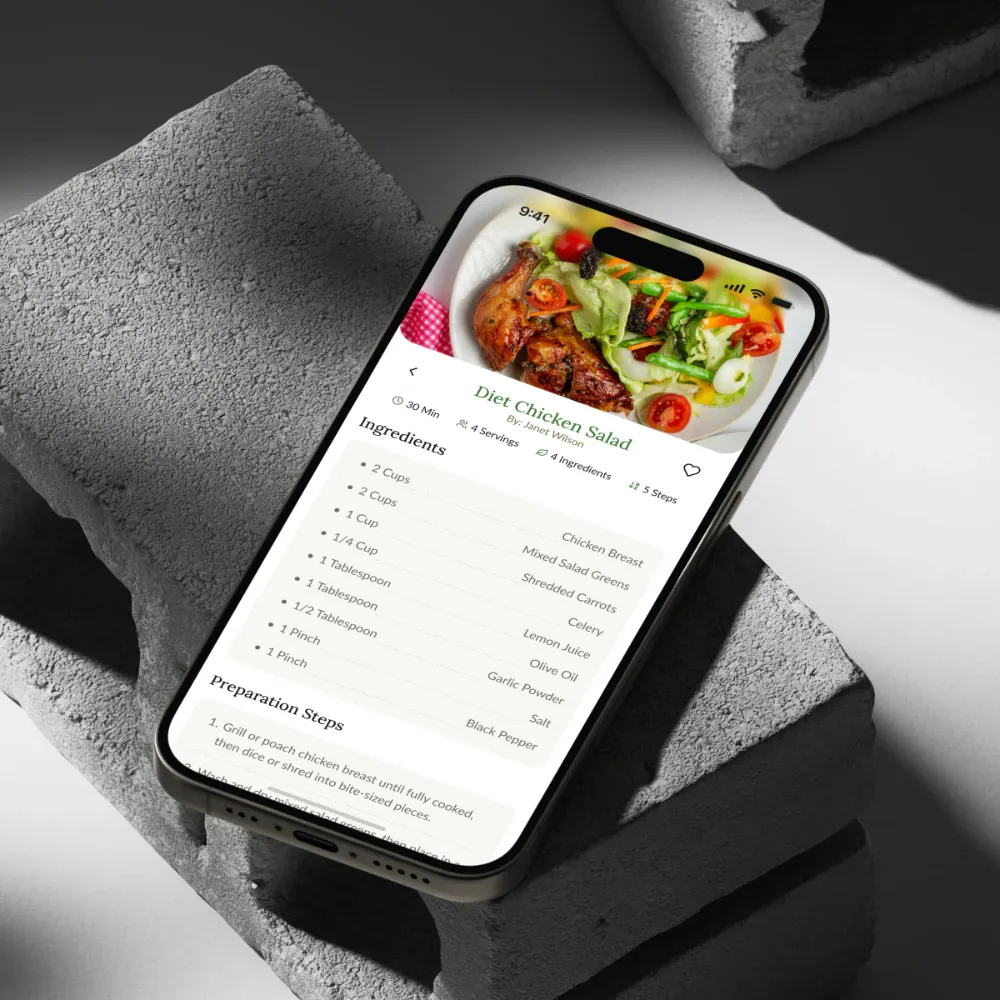
BACKGROUND & CONTEXT
- In shared homes, recipes live in screenshots and group chats, and nobody is sure what to buy.
- The person who cooks isn't always the person who shops, so ingredient lists get retyped or forgotten.
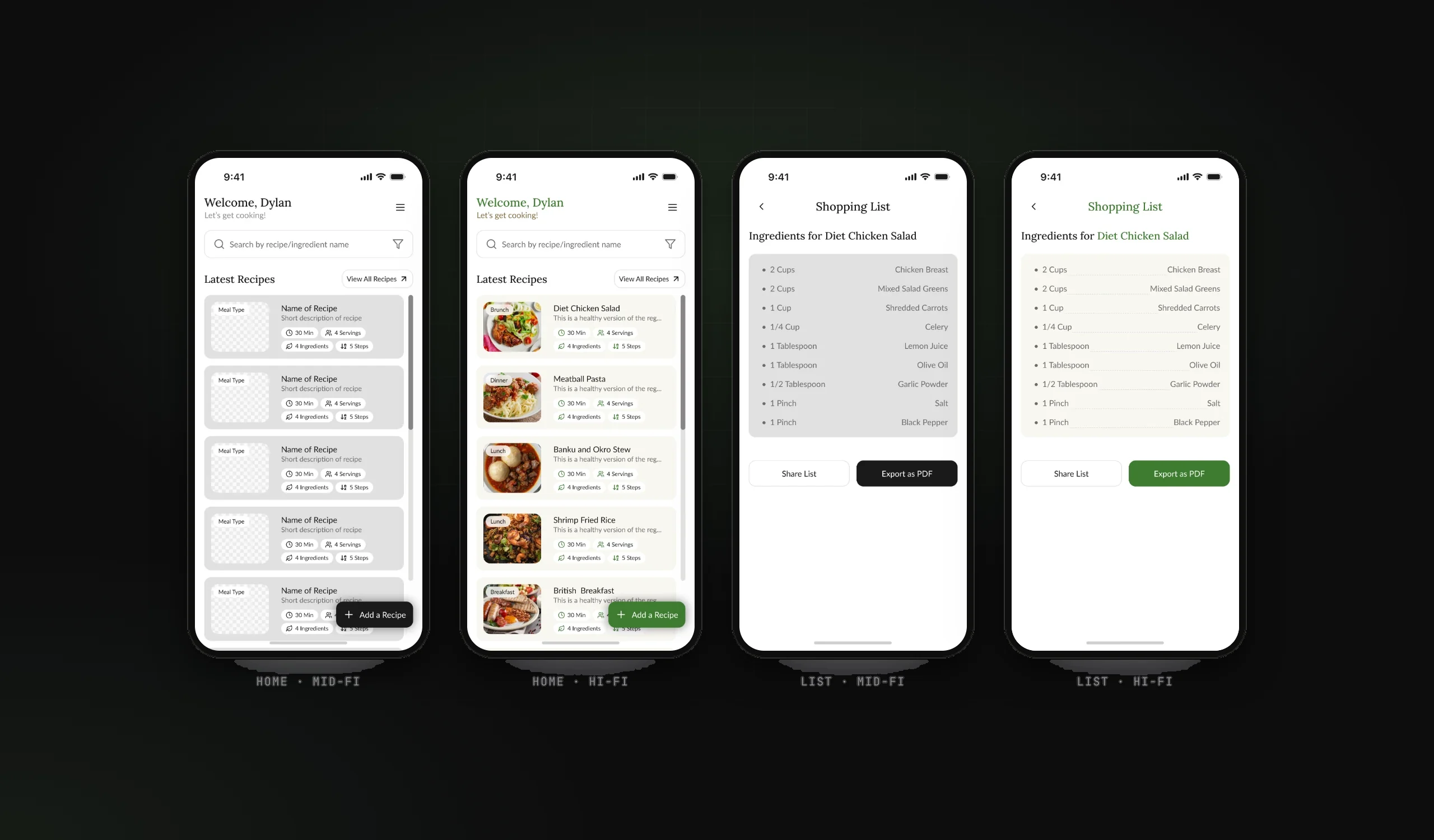
- The lab brief was mid-fidelity wireframing; I took the same flows on to a high-fidelity prototype.
TARGET USERS
Home cooks: saving the recipes the household loves, deciding what to cook this week
Housemates and family members who shop: needing the list, not the recipe
THE GOAL
Keep a household's recipes in one place, and make the step from 'let's cook this' to 'here's what to buy' one tap.
MY PROCESS
- Concept
- User flows
- Mid-fidelity wireframes
- High-fidelity UI
- Prototype
KEY DECISIONS
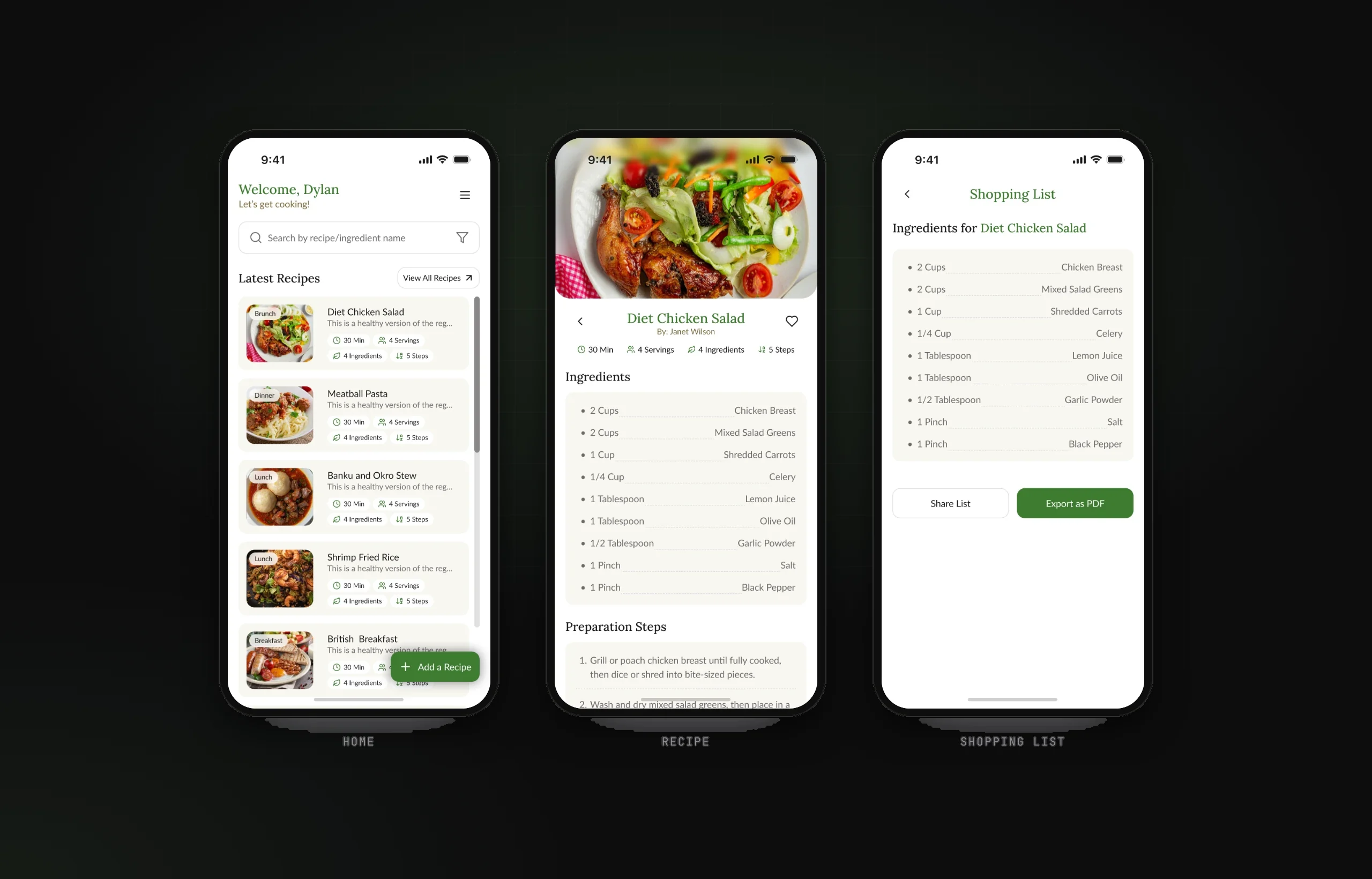
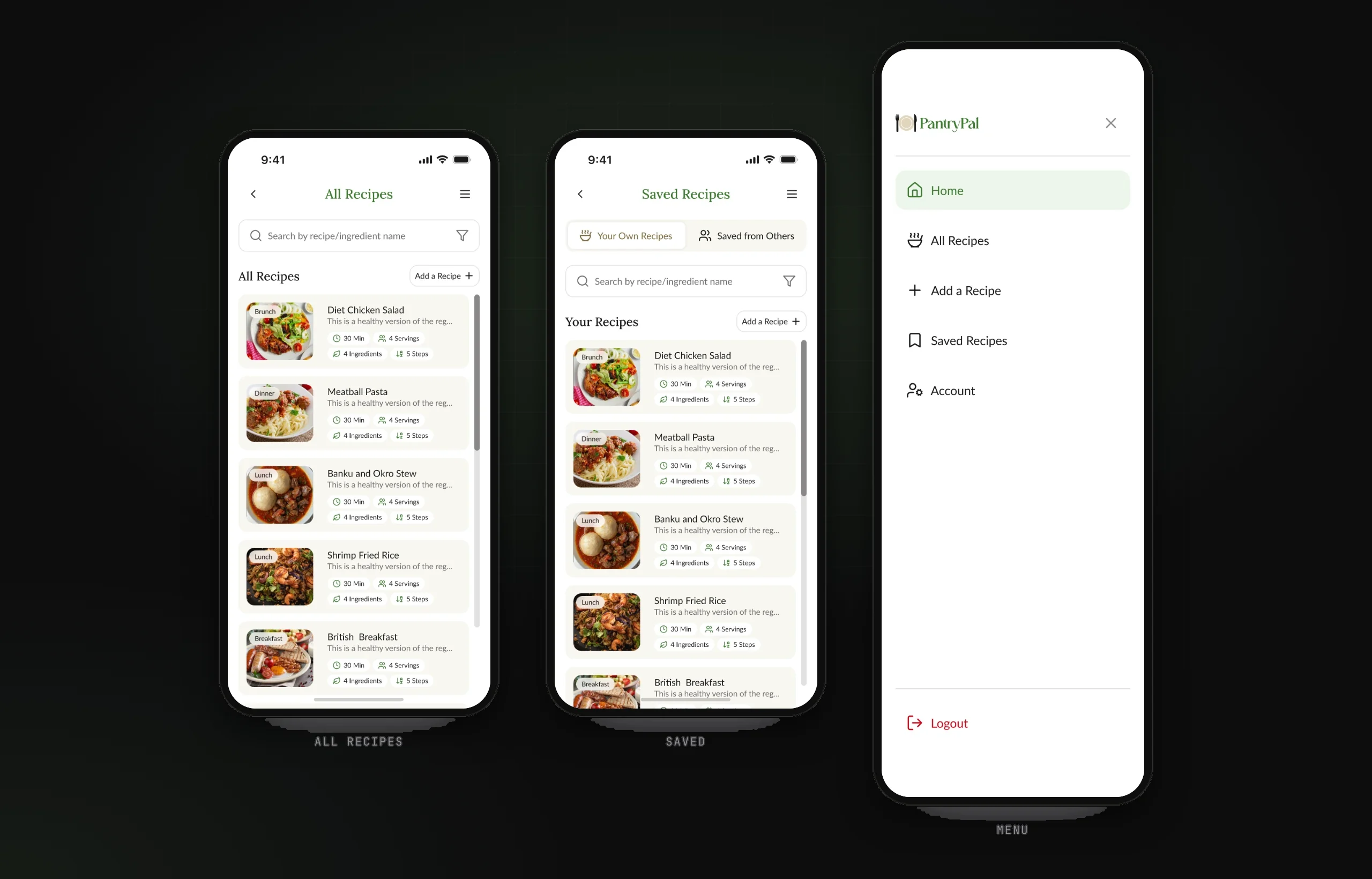
- Every recipe card shows time, servings, ingredients and steps, so choosing is quick
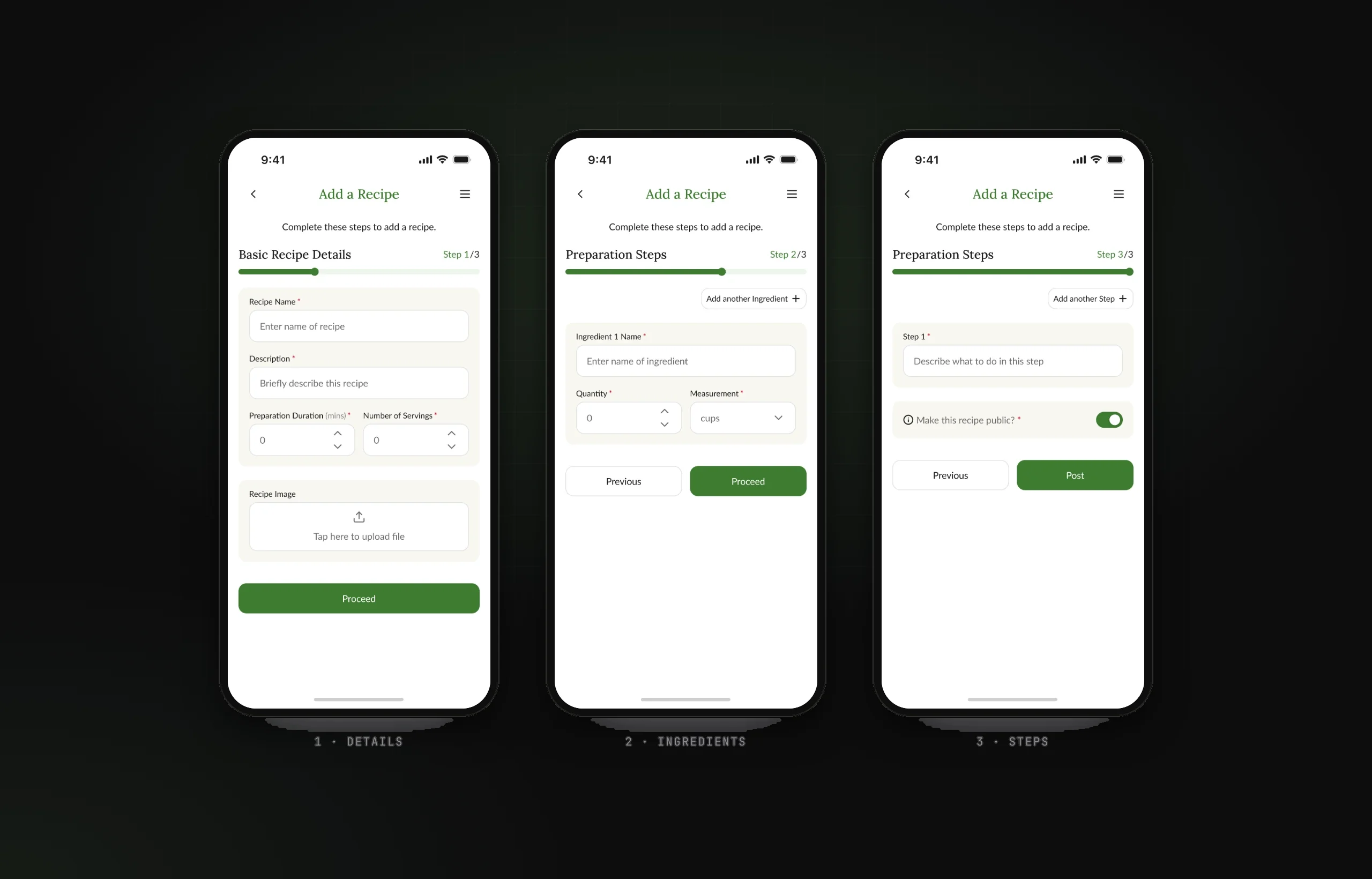
- Adding a recipe is a three-step wizard (details, ingredients, steps) with progress you can see
- Each recipe generates its own shopping list, with 'Share List' and 'Export as PDF'
- Posting is public by default, with a clear switch to keep a recipe private
- A side drawer instead of a tab bar, keeping the screen for food photos
THE SOLUTION
- Browse: latest recipes, search by recipe or ingredient, all recipes and saved recipes.
- Cook: a recipe page with ingredients and numbered preparation steps.
- Shop: a shopping list made from the recipe's ingredients, ready to share with whoever is going to the shop.
- Contribute: add a recipe in three steps with photo upload, units like tbsp and tsp, and a public/private toggle.
KEY FEATURES
- Household recipe library
- Search by recipe or ingredient
- Recipe → shopping list
- Share list or export PDF
- 3-step add-a-recipe wizard
- Saved recipes
DESIGN SYSTEM & ACCESSIBILITY
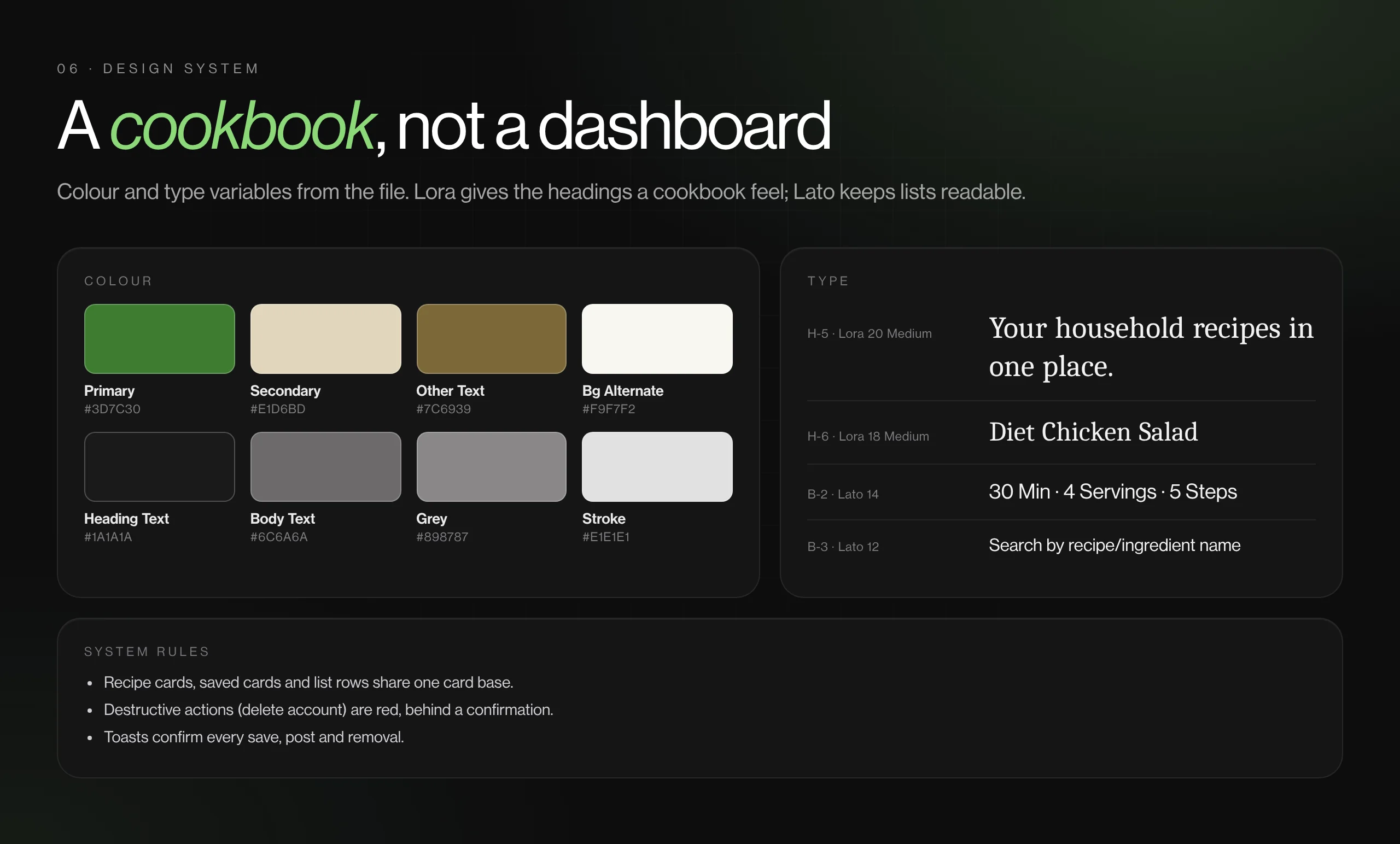
- A warm, editorial system: Lora serif headings, Lato body, forest green #3D7C30 on cream #F9F7F2, Lucide icons.
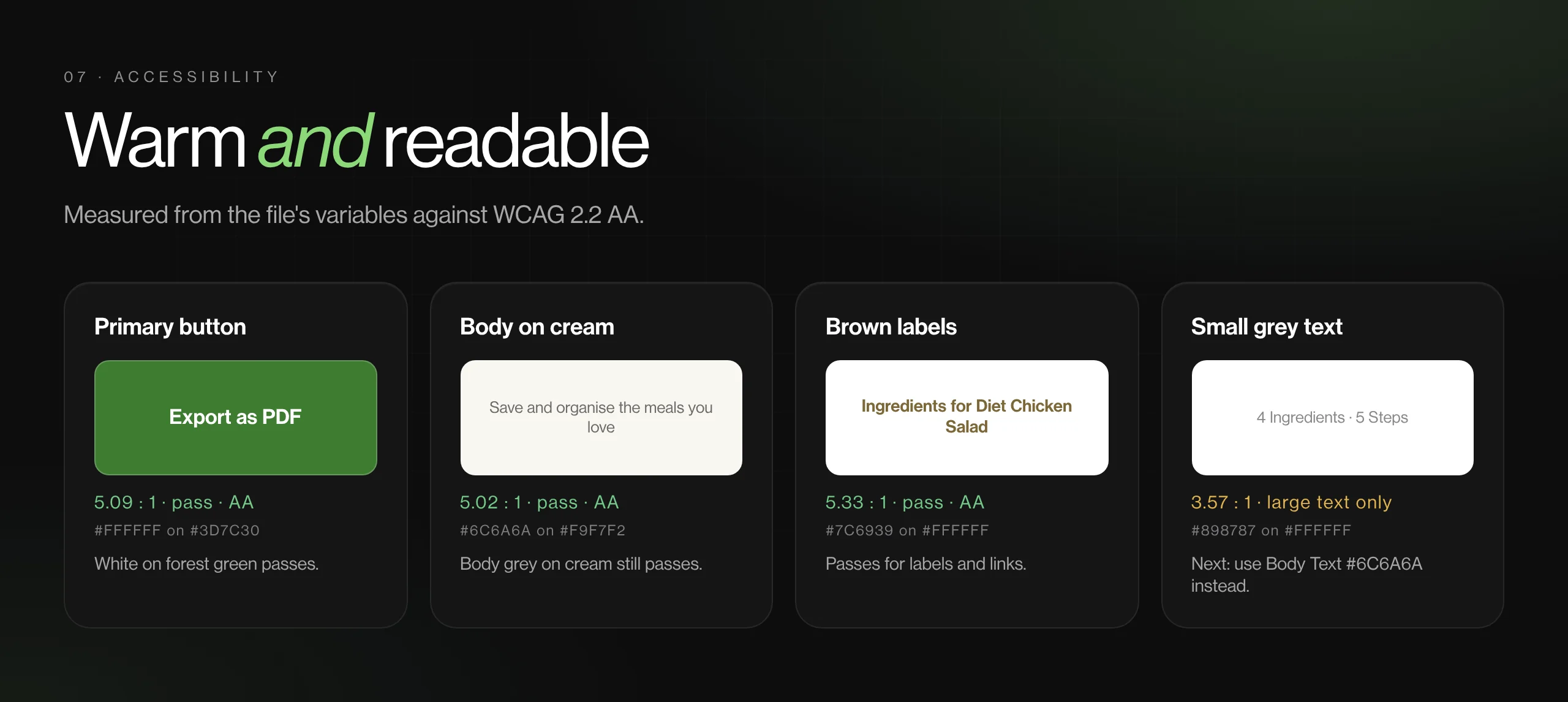
- Text labels sit beside every icon in the drawer and on recipe chips; step progress is written ('Step 1/3'), not only shown.
- Next round: the grey #898787 (3.6:1) used for small text and the up/down number steppers (under 24 px) need attention.
View gallery (7 images)Hide gallery
 (opens full size in a new tab)
 (opens full size in a new tab)
 (opens full size in a new tab)
 (opens full size in a new tab)
 (opens full size in a new tab)
 (opens full size in a new tab)
 (opens full size in a new tab)
BY THE NUMBERS
- From recipe to shopping list
- 1 tap
- Steps to add a recipe
- 3
- Lists ready to share or print
OUTCOME
- A clear wireframe-to-prototype story: the mid-fidelity flows carried through to the final screens unchanged.
- The core household loop works: find a recipe, cook it, send someone the list.
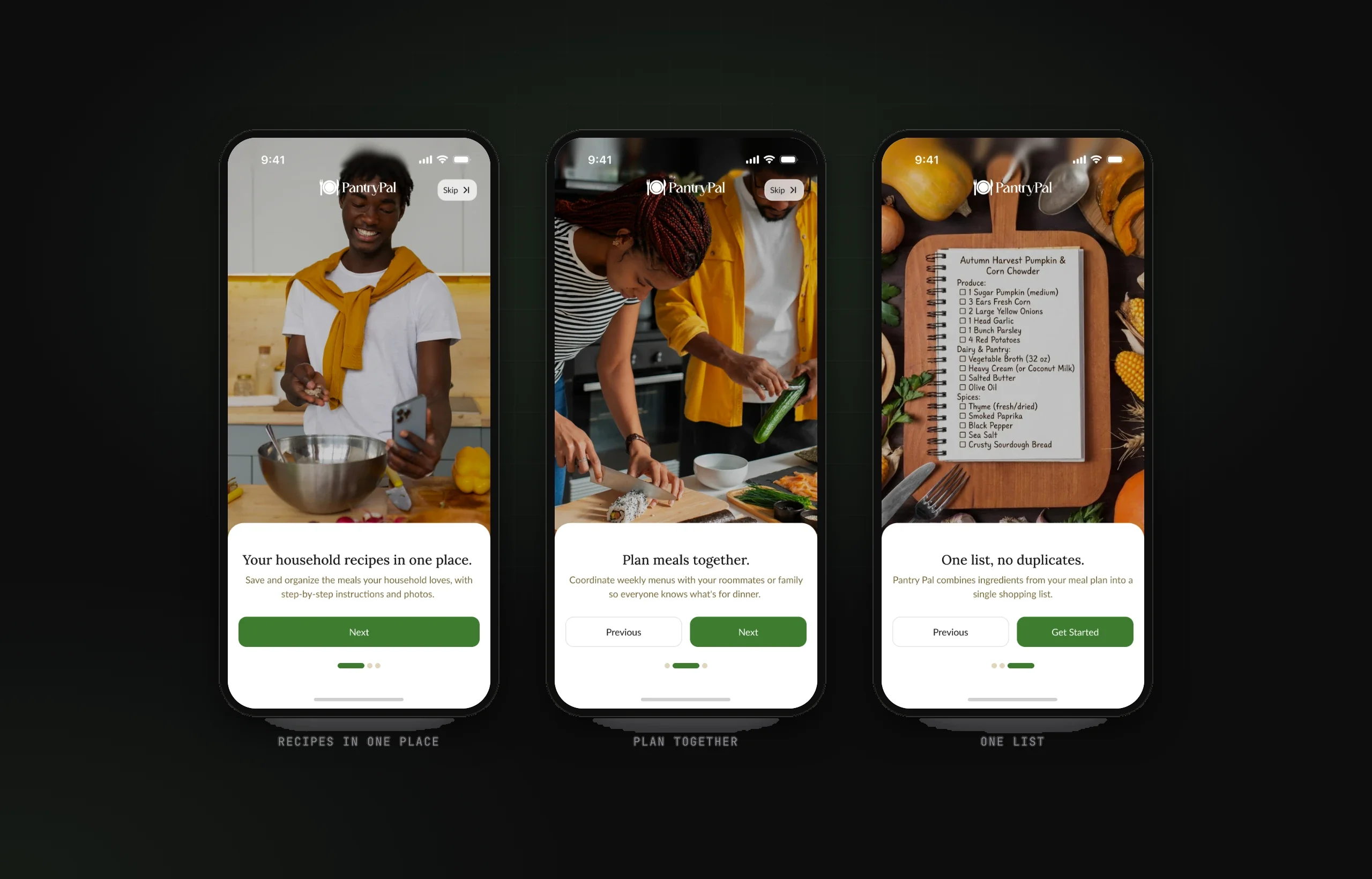
- A defined next step: a shared weekly planner that merges lists across recipes, promised on onboarding and ready to be designed.
What I learned
Multi-user products need a clear owner for every shared object; the list belongs to whoever is shopping, not whoever cooked.